Main Menu
Menu

Show posts

This section allows you to view all posts made by this member. Note that you can only see posts made in areas you currently have access to.

Show posts Menu

Messages - KliPPy

#1
Help requests / Re: Pictures drawn ugly
21 September 2014, 20:15:09
Us two talked over the E-mail, and I came to conclusion(which is really stupid).

In case this ever happens to someone - it has nothing to do with your application, but with your graphics card. Just increase the mipmap level in your graphics card's settings.

I feel really stupid right now, but... eh.  ;D
#2
Help requests / Pictures drawn ugly
21 September 2014, 17:30:40
Hello there.
I started to use TGUI with my new project, and so far I like it really much, but there is one problem.
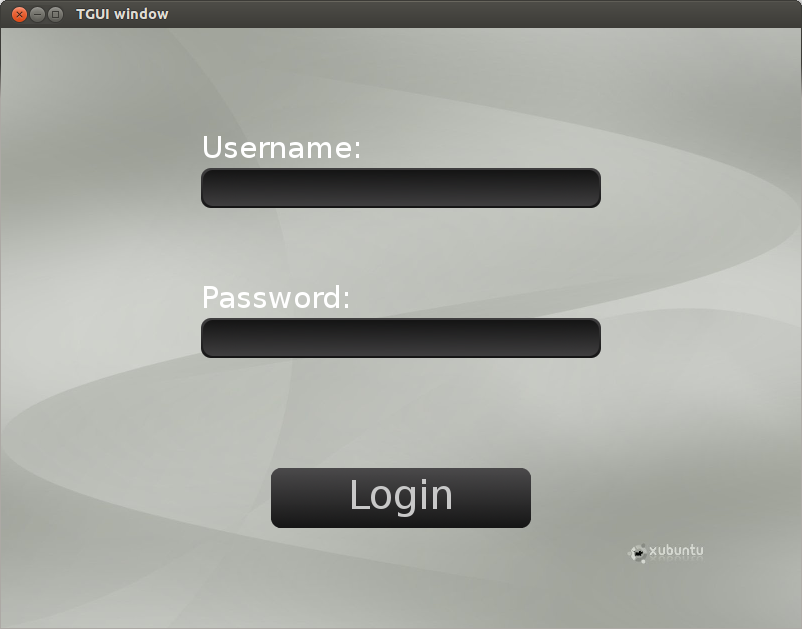
For some reason, .png pictures drawn by TGUI are really ugly, even ones provided in your kit(black style pictures). Take a look at this picture:


As you can see, pictures are not smooth as, for instance, this picture in one of the TGUI tutorials:


I tried with multiple pictures, BabyBlue style and my own pictures.
Do you know why this is happening? I really want to use TGUI, but this is bugging me really much.
Thanks in advance! :)