Main Menu
Menu

Show posts

This section allows you to view all posts made by this member. Note that you can only see posts made in areas you currently have access to.

Show posts Menu

Messages - MattDA

#1
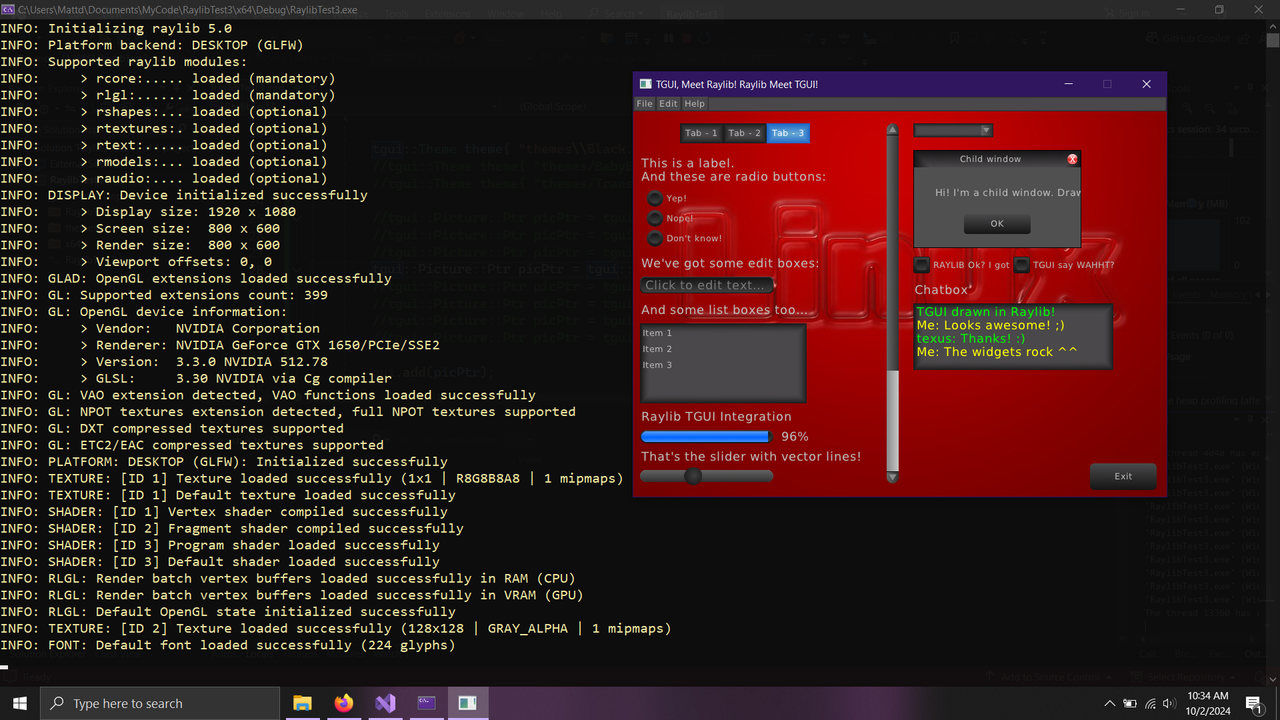
I moved the main window into main so it is made in the right order. Also moved the drawing into AppUI, which I guess makes more sense anyhow. Now everything draws and widgets function. I was expecting the MenuBar to be drawn onto the canvas. Is this the way its supposed to work? Can I draw just the menu bar to the canvas?

main.cpp
int main()
{
    SetTraceLogLevel(LOG_WARNING);
   
    InitWindow(900, 600, "Raylib is the master");
    SetTargetFPS(60);

    std::cout << "Game Initializing" << std::endl;
    Game game;
    //float ar = (1080.0 / 1920.0) * 1.25;
    game.init(900, 600);

    game.runFixed();
    CloseWindow();
    return 0;
}

game.h
#ifndef GAME_H
#define GAME_H
#include <iostream>

#include <TGUI/TGUI.hpp>
#include <TGUI/Backend/raylib.hpp>

#include "AppUI.h"

class Game
{
public:

    Game();
    ~Game();
    void init(int,int);
    void runFixed();
private:

    ui::App m_app;
};
#endif

game.cpp
#include "Game.h"

Game::Game()
{

    std::cout << "Game Created" << std::endl;
   
    //m_ui = nullptr;
}
Game::~Game(){}

void Game::init(int screenWidth,int screenHeight)
{
   
    m_app.init(screenWidth, screenHeight);
    tgui::RAYLIB::Gui& ui = m_app.getGUI();

   
}

void Game::runFixed()
{

    while (!WindowShouldClose())    // Detect window close button or ESC key
    {

        auto& ui = m_app.getGUI();
        ui.handleEvents();

        int pressedChar = GetCharPressed();
        while (pressedChar)
        {
            ui.handleCharPressed(pressedChar);
            pressedChar = GetCharPressed();
        }

        int pressedKey = GetKeyPressed();
        while (pressedKey)
        {
            ui.handleKeyPressed(pressedKey);
            pressedKey = GetKeyPressed();
        }
       
        m_app.draw();
     
       // ui.mainLoop();

    }
}

AppUI.h
#include <map>
#include <string>
#include <filesystem>

#include <TGUI/TGUI.hpp>
#include <TGUI/Backend/raylib.hpp>


namespace ui
{
    namespace fs = std::filesystem;

class App
{
public:
        App();
~App();
void init(int,int);
tgui::RAYLIB::Gui& getGUI();
void draw();
void update();

private:


tgui::RAYLIB::Gui m_gui;
};


}


#endif // header guard


AppUI.cpp
#include "AppUI.h"

ui::App::App(){

}

ui::App::~App()
{

}

void ui::App::init(int screenWidth, int screenHeight)
{
    std::cout << "Initializing App User Interface." << std::endl;
try {
tgui::Theme blackTheme{ "../../themes/Black.txt" };

tgui::CanvasRaylib::Ptr MainCanvas = tgui::CanvasRaylib::create({ "80%", "80%" });

m_gui.add(MainCanvas, "main_canvas");


tgui::MenuBar::Ptr MainMenuBar = tgui::MenuBar::create();
MainMenuBar->setRenderer(blackTheme.getRenderer("MenuBar"));

MainMenuBar->setHeight(22.f);
MainMenuBar->setPosition("1%", "1%");
MainMenuBar->addMenu("File");
MainMenuBar->addMenuItem("New");
MainMenuBar->addMenuItem("Load");
MainMenuBar->addMenuItem("Save");
MainMenuBar->addMenuItem("Exit");

MainMenuBar->addMenu("Window");
MainMenuBar->addMenuItem("Map Object Tree");//Show a tree view of the map in a child window
MainMenuBar->addMenuItem("Object Properties");//Show Properties of an object

MainMenuBar->addMenu("Help");
MainMenuBar->addMenuItem("About");
MainMenuBar->setVisible(true);

m_gui.add(MainMenuBar, "main_menu_bar");


//MainMenuBar->connectMenuItem({ "File", "New" }, &UI::createWizard, this);
}
catch (const tgui::Exception& e)
{
std::cerr << "TGUI Exception: " << e.what() << std::endl;
exit(1);
}


}
tgui::RAYLIB::Gui& ui::App::getGUI()
{
   
    return m_gui;
}

void ui::App::draw()
{
auto MainCanvas = m_gui.get<tgui::CanvasRaylib>("main_canvas");
//auto MainMenuBar = m_gui.get<tgui::MenuBar>("main_canvas");
BeginTextureMode(MainCanvas->getTextureTarget());

ClearBackground({ 40, 160, 140, 255 });
DrawCircle(100, 120, 20, Color{ 100,10,10,255 });

EndTextureMode();

BeginDrawing();

ClearBackground({ 40, 60, 40, 255 });
DrawCircle(200, 120, 50, Color{ 100,10,10,255 });
m_gui.draw();//TGUI draw

EndDrawing();

}


void ui::App::update()
{
    //m_screenSize.x = static_cast<float>(GetScreenWidth());
    //m_screenSize.y = static_cast<float>(GetScreenHeight());
}

#2
Hi again. I am trying to make a basic set up with headers to test my new build using the raylib backend. I have app class that holds the backend object (tgui::RAYLIB::gui). All the logic is nearly the same as the working example. I get no errors and everything loads. I can see that the container of the gui has 2 elements, (canvas and menubar) but I can't get them to draw. What am I doing wrong?
main.cpp
//#include <iostream>
//#include "raylib.h"
//#include <filesystem>


//namespace fs = std::filesystem;

//#include <SFML/Graphics.hpp>
#include <iostream>
//#include <UI.h>
//#include <TGUI/TGUI.hpp>
//#include <TGUI/Backend/raylib.hpp>
#include "Game.h"


int main()
{

    Game game;
    //float ar = (1080.0 / 1920.0) * 1.25;
    game.init(900, 600);

    game.runFixed();

    return 0;
}
game.cpp
#ifndef GAME_H
#define GAME_H
#include <iostream>
//#include <filesystem>
//#include <unordered_map>
//#include <string>
//#include <cassert> // for assert()
//#include "raylib.h"
//#include "raymath.h"

#include <TGUI/TGUI.hpp>
#include <TGUI/Backend/raylib.hpp>

//#include "VecUtil.h"
//#include "MapMan.h"
//#include "AssetMan.h"
//#include "GameObjects.hpp"

#include "AppUI.h"

class Game
{
public:

    Game();
    ~Game();
    void init(int,int);
    void runFixed();
private:

    ui::App m_ui;
};
#endif

Game.cpp
#include "Game.h"

Game::Game()
{

    std::cout << "Game Created" << std::endl;
   
    //m_ui = nullptr;
}
Game::~Game(){CloseWindow();}

void Game::init(int screenWidth,int screenHeight)
{
    SetTraceLogLevel(LOG_WARNING);
    std::cout << "Game Initializing" << std::endl;
    InitWindow(screenWidth, screenHeight, "Raylib is the master");

    SetTargetFPS(60);
    m_ui.init();

    tgui::RAYLIB::Gui* ui = m_ui.getUI();
    if (ui == nullptr)
        std::cout << "UI is null" << std::endl;

   
}

void Game::runFixed()
{

    while (!WindowShouldClose())    // Detect window close button or ESC key
    {

        auto ui = m_ui.getUI();
        ui->handleEvents();

        int pressedChar = GetCharPressed();
        while (pressedChar)
        {
            ui->handleCharPressed(pressedChar);
            pressedChar = GetCharPressed();
        }

        int pressedKey = GetKeyPressed();
        while (pressedKey)
        {
            ui->handleKeyPressed(pressedKey);
            pressedKey = GetKeyPressed();
        }
       
       BeginDrawing();
       
            ClearBackground({40, 60, 40, 255});
            DrawCircle(200, 120, 50, Color{100,10,10,255});
            m_ui.draw();
           
       EndDrawing();
     
       // ui.mainLoop();

    }
}


AppUI.h
#ifndef HEADER_APP_UI
#define HEADER_APP_UI


#pragma once

#include <iostream>
#include <unordered_map>
#include <map>
#include <string>
#include <filesystem>

//#include "raylib.h"
//#include "rlgl.h"
#include <TGUI/TGUI.hpp>
#include <TGUI/Backend/raylib.hpp>

//#include "VecUtil.h"
//#include "AssetMan.h"


namespace ui
{
    namespace fs = std::filesystem;

class App
{
public:
        App();
~App();
void init();
tgui::RAYLIB::Gui* getUI();
void draw();
void update();

private:


tgui::RAYLIB::Gui m_ui;
};


}


#endif // header guard


AppUI.cpp
#include "AppUI.h"

ui::App::App(){

}

ui::App::~App()
{

}

void ui::App::init()
{

    std::cout << "Initializing App User Interface." << std::endl;
try {
tgui::Theme blackTheme{ "../../themes/Black.txt" };

tgui::CanvasRaylib::Ptr MainCanvas = tgui::CanvasRaylib::create({ "100%", "100%" });

m_ui.add(MainCanvas, "main_canvas");


tgui::MenuBar::Ptr MainMenuBar = tgui::MenuBar::create();
MainMenuBar->setRenderer(blackTheme.getRenderer("MenuBar"));

MainMenuBar->setHeight(22.f);
MainMenuBar->setPosition("1%", "1%");
MainMenuBar->addMenu("File");
MainMenuBar->addMenuItem("New");
MainMenuBar->addMenuItem("Load");
MainMenuBar->addMenuItem("Save");
MainMenuBar->addMenuItem("Exit");

MainMenuBar->addMenu("Window");
MainMenuBar->addMenuItem("Map Object Tree");//Show a tree view of the map in a child window
MainMenuBar->addMenuItem("Object Properties");//Show Properties of an object

MainMenuBar->addMenu("Help");
MainMenuBar->addMenuItem("About");
MainMenuBar->setVisible(true);

m_ui.add(MainMenuBar, "main_menu_bar");


//MainMenuBar->connectMenuItem({ "File", "New" }, &UI::createWizard, this);
}
catch (const tgui::Exception& e)
{
std::cerr << "TGUI Exception: " << e.what() << std::endl;
exit(1);
}


}
tgui::RAYLIB::Gui* ui::App::getUI()
{
   
    return &m_ui;
}

void ui::App::draw()
{
auto MainCanvas = m_ui.get<tgui::CanvasRaylib>("main_canvas");
BeginTextureMode(MainCanvas->getTextureTarget());

m_ui.draw();
EndTextureMode();

}


void ui::App::update()
{
    //m_screenSize.x = static_cast<float>(GetScreenWidth());
    //m_screenSize.y = static_cast<float>(GetScreenHeight());
}

#3
It has something to do with windows security blocking my c++ app. I know because if I run my exe as administrator it works. I am not sure how to whitelist vs or vs projects, I guess its time to find out. Thanks for your help.
#6
It seems that it will not load any image that did not come from the original theme folder. Trying different images I can load the BabyBlue.png, RedBackground, and even a button from the development folder.
//tgui::Picture::Ptr picPtr = tgui::Picture::create("themes/newCrack_albedo.jpg"); //nope
//tgui::Picture::Ptr picPtr = tgui::Picture::create("themes/Ground.jpg");//nope
//tgui::Picture::Ptr picPtr = tgui::Picture::create("themes/ground.jpg");//nope
tgui::Picture::Ptr picPtr = tgui::Picture::create("themes/RedBackground.jpg");//Works
//tgui::Picture::Ptr picPtr = tgui::Picture::create("themes/RedBackground.png");//nope
//tgui::Picture::Ptr picPtr = tgui::Picture::create("themes/BabyBlue.png");//Works
//tgui::Picture::Ptr picPtr = tgui::Picture::create("C:\\Users\\Mattd\\Documents\\MyCode\\RaylibTest3\\x64\\Debug\\themes\\development\\Black\\images\\ButtonBackgroundFocused.png");//Works
//tgui::Picture::Ptr picPtr = tgui::Picture::create("themes\\development\\Black\\images\\ButtonBackgroundFocused.png");//Works
I will post the image as soon as I figure out how.


#7
I get a TGUI exeption from the Try Catch block. The error is at line...
  gui.add(tgui::Picture::create("themes\\Ground.jpg"));

TGUI Exception: Failed to load 'themes/Ground.jpg'

themes is currently in the same directory as the executable. Ground.jpg is in themes with RedBackground. I tried with forward slash as well. It can find the image just won't load it. In addition to putting it in the same directory as the RedBackground, I tried to just modify the RedBackground and replaced it with the same name and that would not load either.   
#8
I finally got a debug shared build up and running. I think I linked to raylib.lib from cmake gui in stead of raylibdll.lib when building the previous TGUI solution. Any how I have the "Many different widgets" code in my project. Everything works except loading the background image. TGUI will load "RedBackground.jpg but does not work with any other images that I have tried. I can't imagine why I could load some images and not others. DPI is the only real difference I see. The RedBackground.jpg is higher DPI than the ones I have tried. Would this be related to cmake settings maybe?
 
#9
I have tried a new cmake and vs build and got errors when I set the raylib_LIB to raylib.dll. raylibdll.dll I guess is for shared? Anyhow I am working on it. I will update.

//configuration
//CMake settings
//  Build shared checked
//  raylib_INCLUD_DIR C:/raylib-5.0_win64_msvc16/raylib/include
//  raylib_LIBRARY C:/raylib-5.0_win64_msvc16/raylib/lib/raylibdll.lib

#10
Thank you for responding. I tried the updated tgui-1.x. I am using cmake GUI and vs community 2022 with ms compilers. The raylib pre-built is from https://github.com/raysan5/raylib/releases/tag/5.0 and the file is raylib-5.0_win64_msvc16.zip. Using your updated tgui I was able to build the solution in cmake gui with the raylib back end and paths as you stated.
I linked in VS and can see no errors in my project which is from the minimal example from tgui.eu. It all looks good but when I try to compile the project now I get a link error.
error LNK2001: unresolved external symbol "__declspec(dllimport) public: __cdecl tgui::Color::Color(unsigned char,unsigned char,unsigned char,unsigned char)" (__imp_??0Color@tgui@@QEAA@EEEE@Z)

I should also mention that raylib its self compiled and linked fine. Thanks again for helping. Any Idea why I am still having link issues?   
#11
Hello. I am trying to install the latest tgui for use with Raylib. In cmake gui cmake can not find the bin dir because it does not exist in my raylib 5 build.In the "selecting a back end" docs, "lib/cmake/raylib/raylib-config.cmake must exists." This directory does not exist in any of my raylib builds or the pre built package. I can see the raylib-config.cmake in another folder but when I tried so set that as raylibs path cmake gui considered it but rejected the file.   


Selecting Windows SDK version 10.0.22621.0 to target Windows 10.0.19045.
CMake Error at cmake/Dependencies.cmake:600 (find_package):
  Could not find a package configuration file provided by "raylib" with any
  of the following names:

    raylibConfig.cmake
    raylib-config.cmake

  Add the installation prefix of "raylib" to CMAKE_PREFIX_PATH or set
  "raylib_DIR" to a directory containing one of the above files.  If "raylib"
  provides a separate development package or SDK, be sure it has been
  installed.
Call Stack (most recent call first):
  src/Backend/CMakeLists.txt:204 (tgui_add_dependency_raylib)
  src/CMakeLists.txt:312 (include)


Configuring incomplete, errors occurred!

				
#12
Help requests / Tree View Tutorials?
17 January 2023, 02:13:21
Hi. I was trying to create a tree view but I am not sure how it works. It takes an array of strings as an Item but each string of that array creates a deeper indent.
so for example, a string array like {"Object", "SubObject", "SubObject2"}
ends up looking like this.
Object
     SubObject
          SubObject2

But what I want is something like this.
Object
     SubObject
     SubObject2
I see on the main tgui page the screenshots show a proper tree view example. Are those examples available?
#13
Help requests / Re: Texture for RangeSlider
12 October 2020, 19:45:17
I meant that RangeSliderRenderer is inherited from SliderRenderer; At least that's what it looks like in the documentation's UML diagram. I would expect then that a RangeSliderRenderer would have all the properties of a SliderRenderer.

QuoteWhat exactly doesn't work? Do you get an error or does is just not show the textures?
I can not display the RangeSlider that shows my textures and changes the color or texture between the two thumbs. I will post a screenshot.


#14
Help requests / Texture for RangeSlider
12 October 2020, 02:43:11
Hello. I am trying to make a display child window that has all of the TGUI widgets. The widgets are using a modified version of black.txt. The texture atlas is my own custom drawn png. The issue I am having is with RangeSlider. There does not seem to be a way to load textures for the space between the two thumbs.

RangeSlider is inherited from Slider, but the object properties (that we set in a theme file or setters) are not available.
In other words I can not set the RangeSlider to display textures (available to Sliders) and the color values in the RangeSlider renderer.


RangeSlider {


/*
TextureTrack      = "GUI.png" Part(245, 45, 26, 26) Middle(6, 6, 14, 14);
    //TextureTrackHover = "GUI.png" Part(297, 45, 26, 26) Middle(2, 2, 22, 22);
    TextureThumb      = "GUI.png" Part(350, 45, 26, 26) Middle(2, 2, 22, 22) Smooth;
TextureThumbHover = "GUI.png" Part(375, 45, 26, 26) Middle(2, 2, 22, 22) Smooth;
//SelectedTrack     = "GUI.png" Part(297, 45, 26, 26) Middle(2, 2, 22, 22);
*/

SelectedTrackColor = rgb(190, 0, 0, 100);
SelectedTrackColorHover = rgb(0,190, 0, 100);
}